


 Back to the Computer Zoo
|
|
|
WARNING: On this page, I outline work I did on the inside of a PC power supply. This involved working with exposed, live voltages, which is dangerous. If you try to replicate anything you see here, you are an idiot and have a good chance of harming yourself. Even if everything seemingly goes OK, any electronics connected to mains power, especially home made or modified, is just waiting to catch on fire while you are not looking and burn your house down.
I am a professional idiot with a background in electronics engineering. I am aware of the dangers of mains power, conducted myself (hehe) appropriately, using safety precautions not shown or discussed here, e.g. working on the open PSU with an isolation transformer. I never leave contraptions like this plugged in, except for intermittent periods where I am around to constantly supervise the obvious fire hazard.
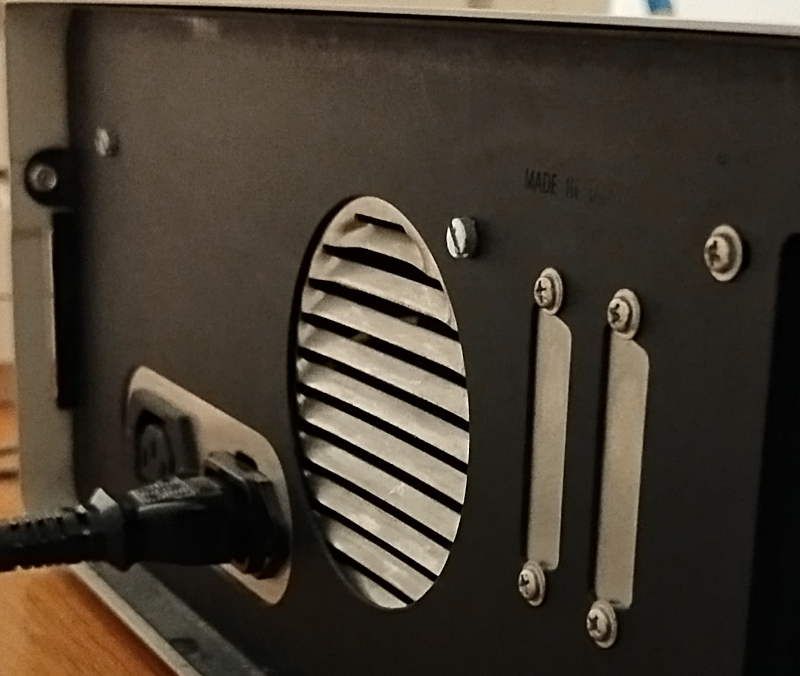
On the back of the PC, we can see the air outlet and the plugs of the AT style PSU, literally the only thing in the PC that uses flat head screws for some reason. The second plug is for a monitor, feeding power through the PC PSU.
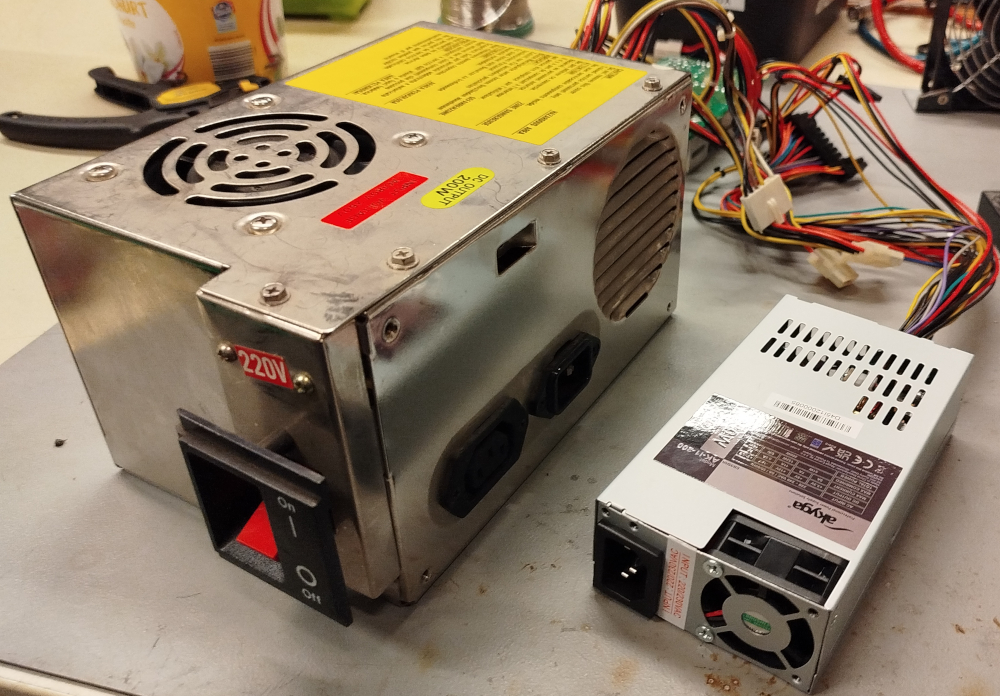
This is the AT style power supply removed from the case. The paddle switch directly controls mains power and sticks out the side of the PC case. The fan on the top sucks air from the PC and pushes it out the slits on the back that can also be seen in the case photo above.
There actually is a switch to change the PSU between 220V and 110V, it has a red "220V" sticker placed over it and is not visible from the outside when the PSU is installed in the case.
Sitting on the right is a modern Flex ATX form factor PSU, both are rated for 200W output power. The Flex ATX PSU has a more modern design that not only allows it to be smaller, but it will eat pretty much any voltage and mains frequency you throw at it, without needing a magic smoke release switch.
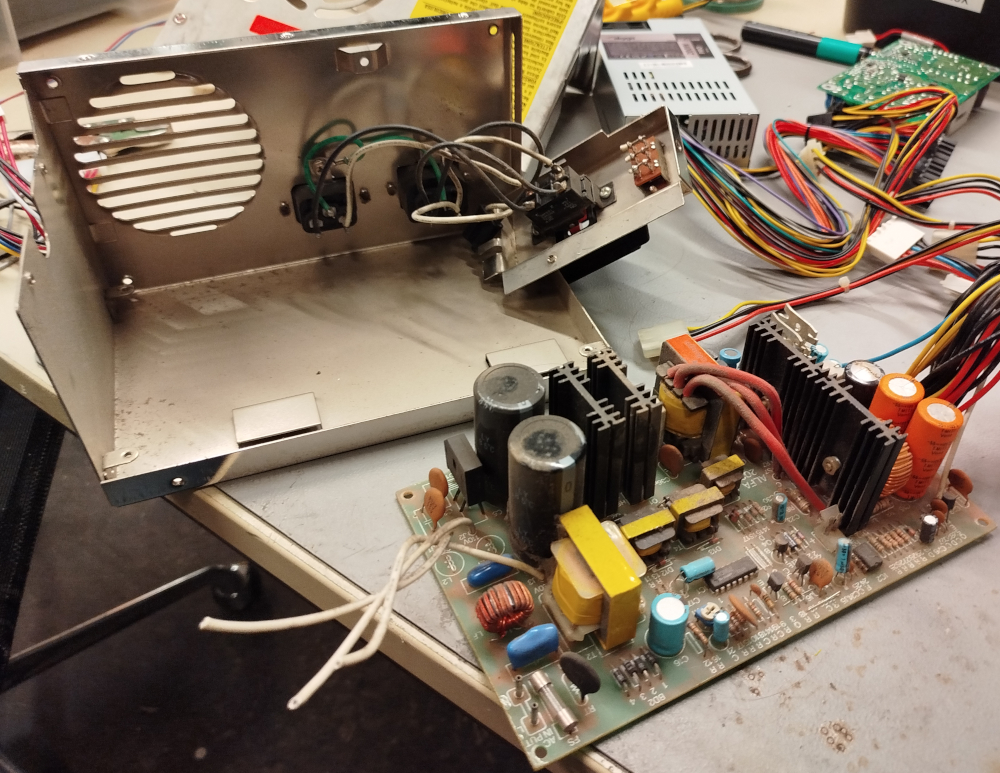
The filthy insides of the PSU with the PCB removed. The white wires to the left of the PCB were connected to the 220V switch.
Taking a closer look at the PCB reveals that it was designed for 110V, the two capacitors on the left, near the white wires actually form a voltage divider. If the switch is in the 220V position, the center tap of the voltage divider is used as input.
In fact, the entire design of the PSU is rather wonky, there is no clean separation between high and low voltage sides, no proper isolation, etc. Which is why I ultimately decided to replace it, rather than just the exploded capacitor.
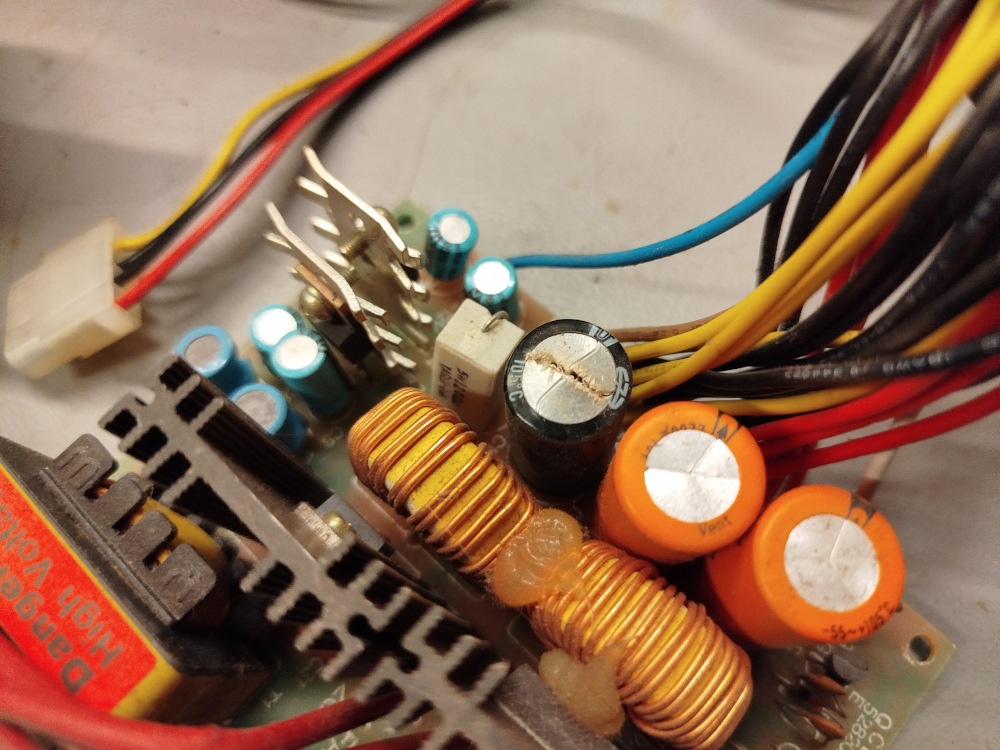
The percussion cap in question. Surprisingly on the output side. In my experience with power supplies, it is usually an input side cap that explodes.
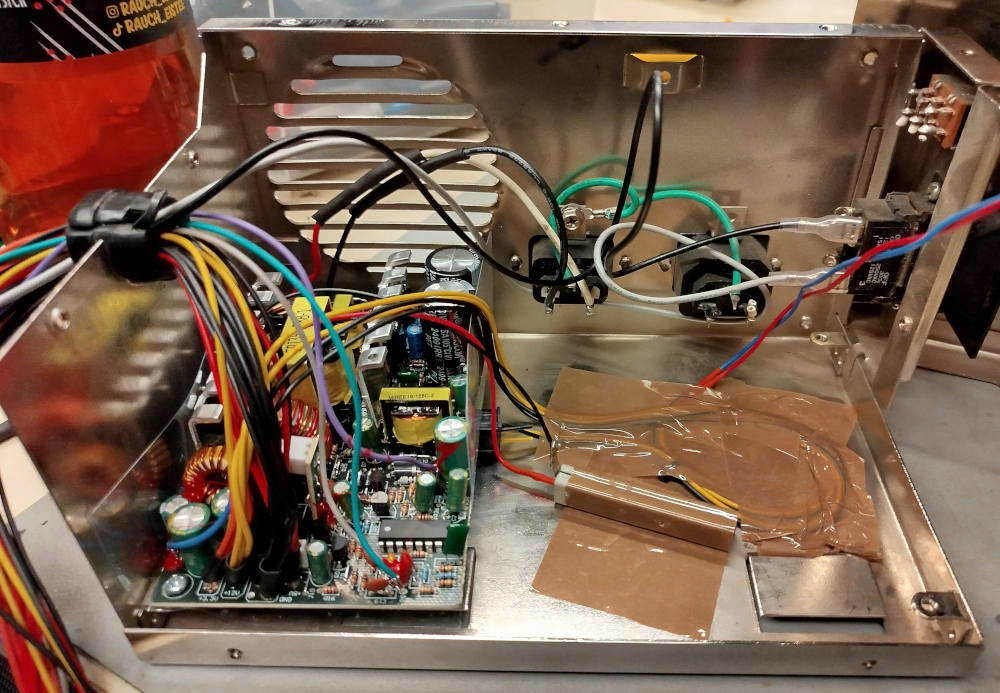
The PCB from the Flex ATX power supply, mounted inside the now dust free, cleaned up PSU casing. The long side of the Flex ATX PSU happens to perfectly match the short side of the original AT PSU and even the screw holes line up neatly.
A quadratic 12V plug serves as a rest for the other side of the PCB, it is glued in position. The 12V are needed inside the PSU anyway to drive the original case fan (the blue and red wires going off to the side).
The Flex ATX PSU originally had a tiny little PWM controlled fan and refuses to turn on once it was removed (actually good engineering!). The fan had 12V, 0.1A written on it. This gives us 120Ω at 1.2W, so a matching resistor with a sufficiently high power rating has been soldered in place to trick the PSU into turning on anyway.
The power plug on the Flex ATX board was removed, the wires from the 230V line input on the AT case were soldered into it instead, without going through the big paddle switch. Instead, an external ATX to AT adapter is used, with the ATX PS-ON wire fed back into the PSU case and hooked up to the paddle switch.
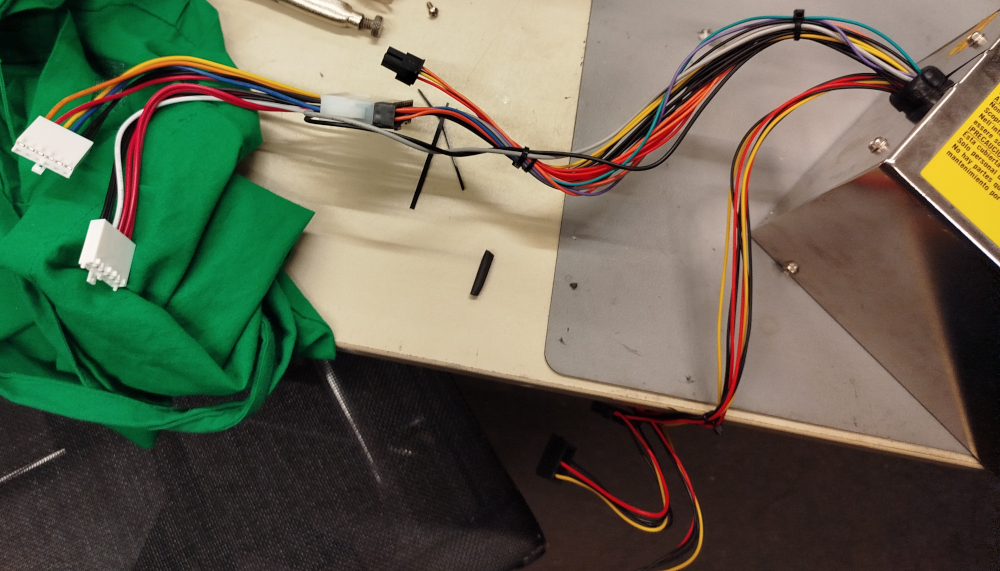
The cables from the new PSU running out of the old case with the adapter, all neatly zip-tied together. The gray and black cables from the adapter are for the PS-ON signal, running back into the PSU.
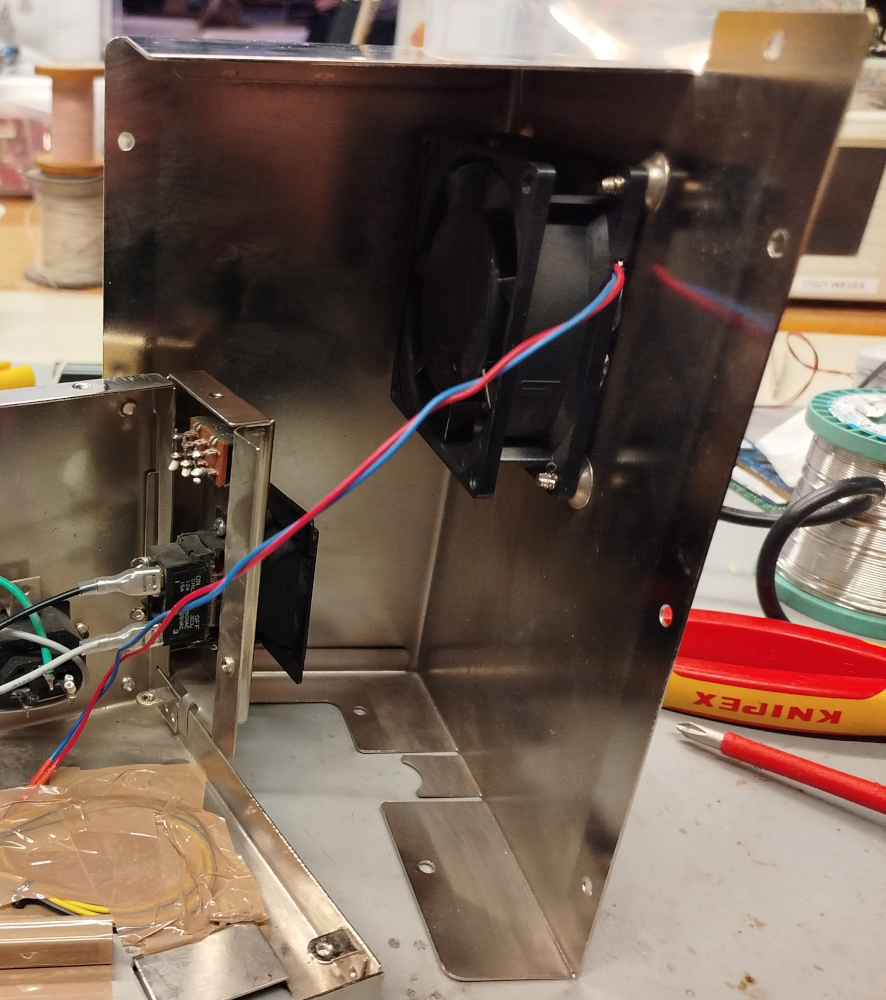
The top half of the shell with the case fan. After testing, I ended up replacing this with a new fan as well. It rattled quite loudly, making noises like an air raid siren when spinning up and sounding like a lawn mower when the PC was running.
For a replacement fan, I simply bought a random 80mm fan from a local PC hardware store. The holes line up neatly and even the decade old screws are the exact type needed.
 Back to top Back to top
|
| |
Back to the Computer
Zoo
|